Catalogue settings control two things behind your storefront: the default account and warehouses the store falls back on, and how your price lists are built and kept fresh. Changes here apply to your live storefront, so it is worth understanding each option before you change it.
Where to find it
In your v5 admin, go to Catalog › Catalogue Settings. The page has three sections down the left: Storefront defaults, Price catalogue, and Reindex.
Storefront defaults
These are the baseline account and warehouses your storefront uses when no customer-specific value applies.
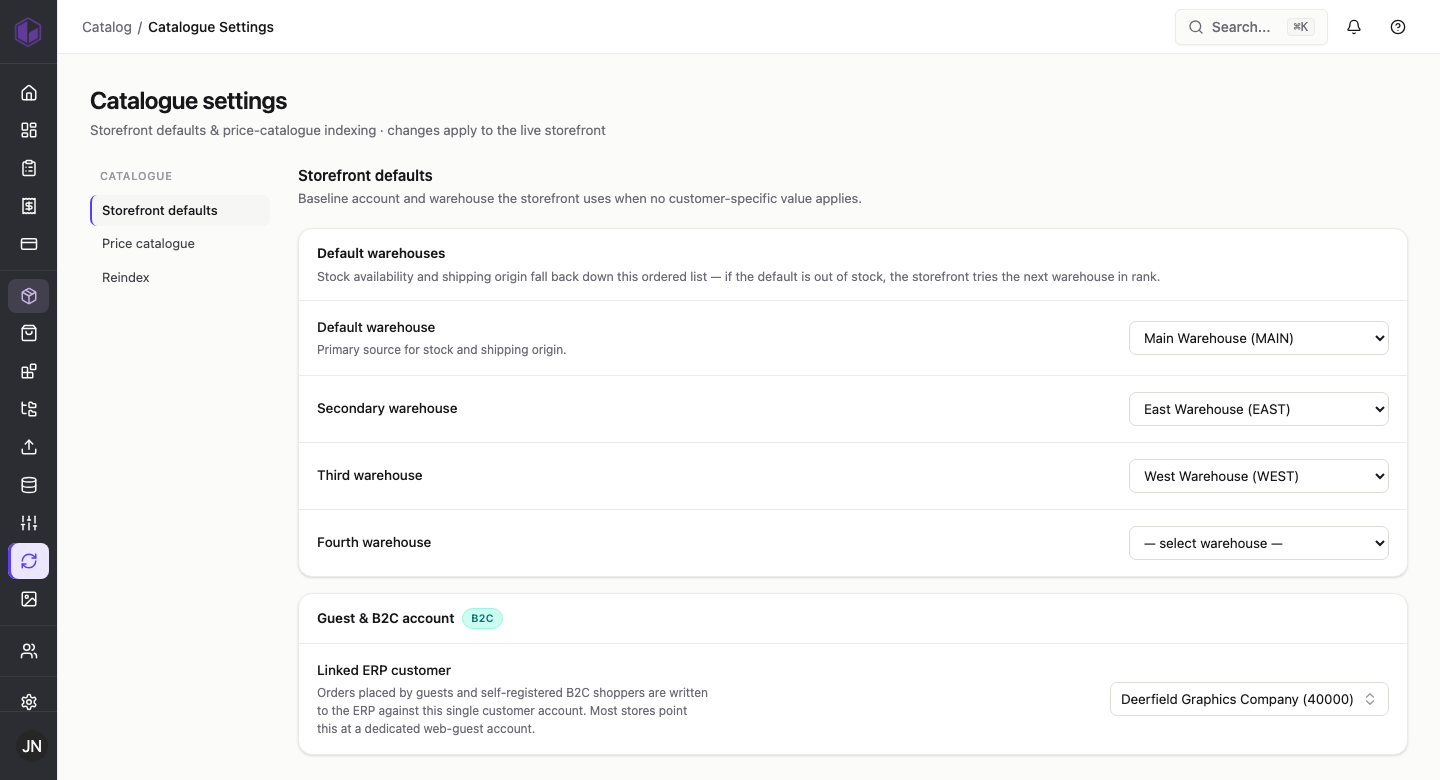
- Default warehouses — an ordered list (default, secondary, third, fourth) used for stock availability and shipping origin. If the default warehouse is out of stock, the storefront tries the next one down the list. The Default warehouse is the primary source for stock and shipping origin.
- Guest & B2C account → Linked ERP customer — orders placed by guests and self-registered B2C shoppers are recorded in your ERP against this single customer account. Most stores point this at a dedicated “web guest” account.
Price catalogue
This controls how storefront prices are generated and kept fresh. B2C and B2B prices are built and refreshed separately: B2C / guest prices are pre-built into a flat price list on a schedule, while B2B prices are generated per customer (contract pricing) and cached for a set time.
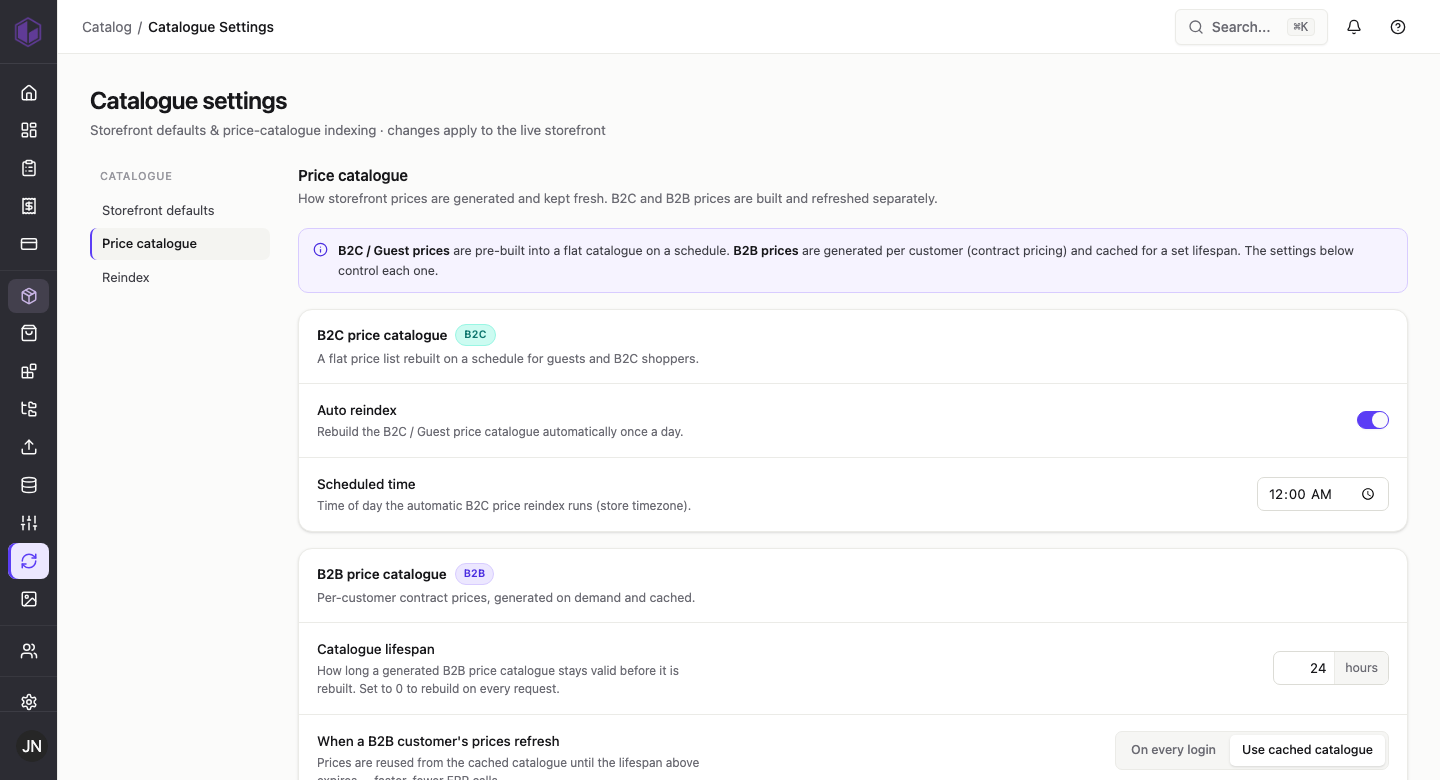
B2C price catalogue (guests and B2C shoppers):
- Auto reindex — when on, the B2C / guest price list rebuilds automatically once a day.
- Scheduled time — the time of day that automatic rebuild runs (in your store timezone).
B2B price catalogue (per-customer contract prices):
- Catalogue lifespan — how long a generated B2B price list stays valid before it is rebuilt. Set it to 0 to rebuild on every request.
- When a B2B customer’s prices refresh — choose Use cached catalogue to reuse cached prices until the lifespan expires (faster, fewer calls to your ERP), or On every login to refresh more often.
Reindex
Rebuild an index right now, or change what a full reindex includes.
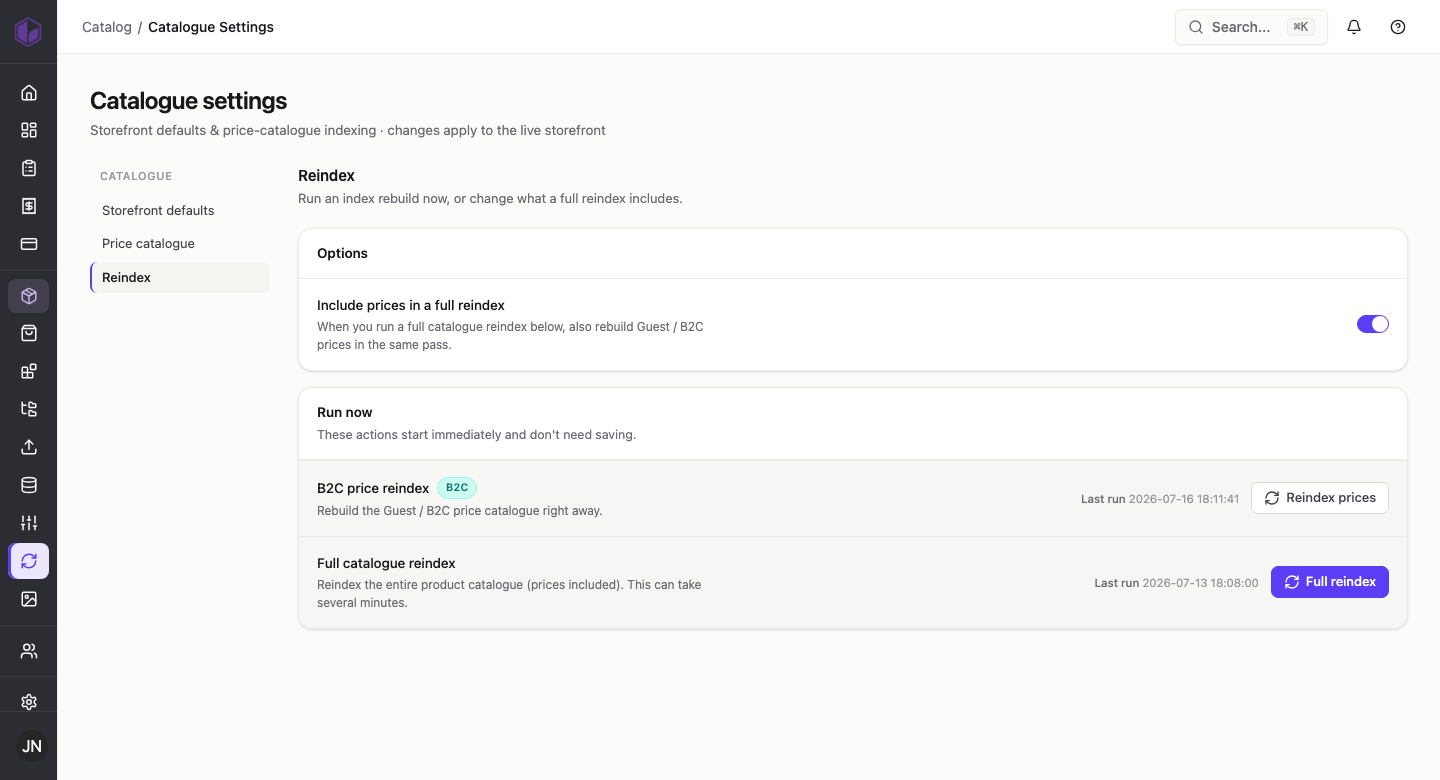
- Include prices in a full reindex — when on, running a full catalogue reindex (below) also rebuilds guest / B2C prices in the same pass.
- B2C price reindex — rebuilds the guest / B2C price list right away.
- Full catalogue reindex — reindexes your entire product catalogue (prices included). This can take several minutes.
Both run-now actions start immediately and do not need saving, and each shows when it last ran.