Skip to content
Menu
V5

  • Home
V5

Page settings, SEO and page actions in the v5 page editor

By jnunez on July 17, 2026

The Page tab on the right holds settings for the page as a whole, rather than an individual section.
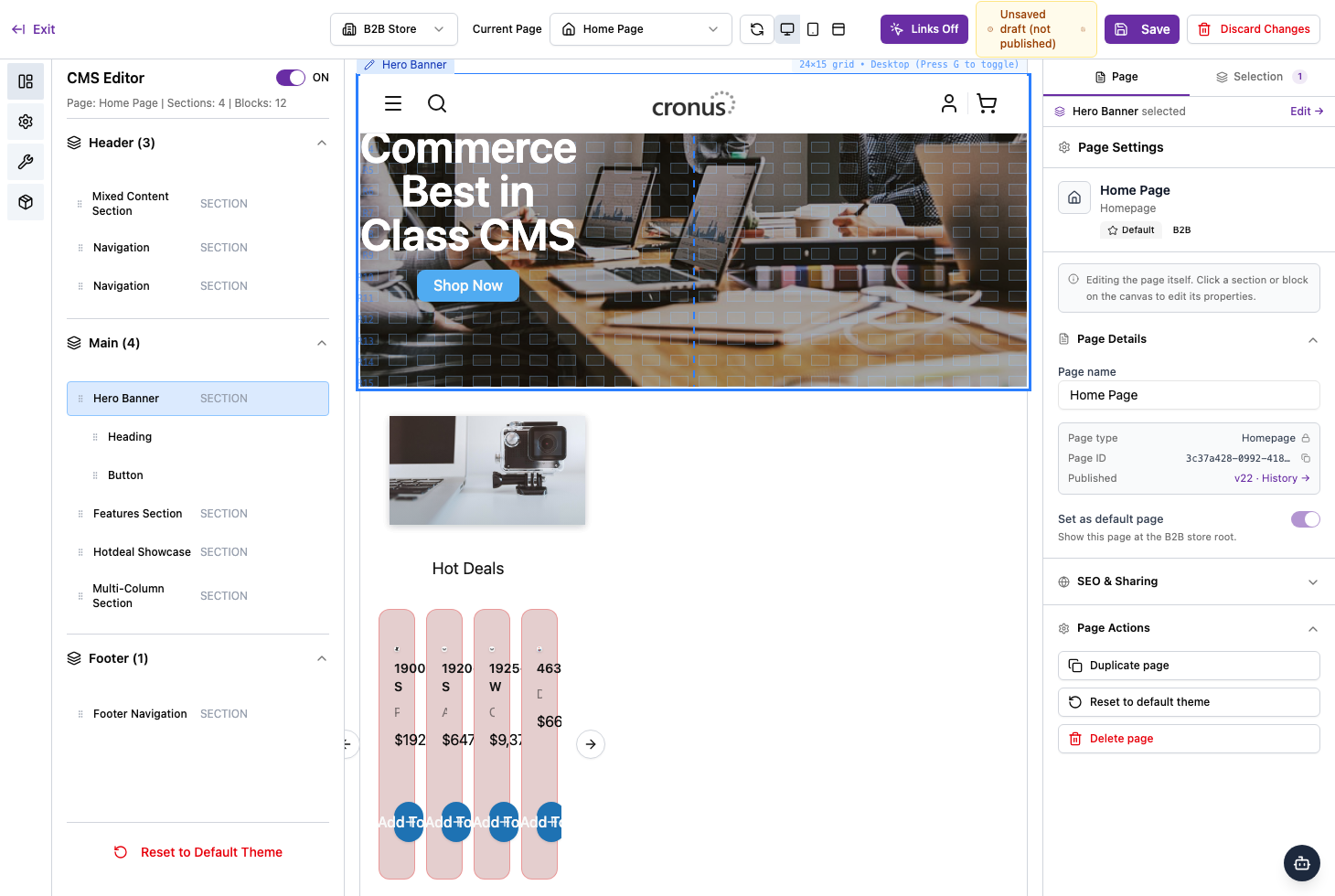
Page settings, SEO and page actions

Page details

  • Page name — the name you’ll recognise the page by.
  • Page type — for example, Homepage.
  • Page ID — a unique identifier (handy when contacting support).
  • Set as default page — when on, this page shows at the store’s root address.

SEO & sharing

Expand SEO & Sharing to control how the page appears in search results and when its link is shared.

Page actions

  • Duplicate page — make a copy to work from.
  • Reset to default theme — return the page to the default design.
  • Delete page — remove the page.

Duplicate and delete affect the whole page, so use them with care.

Category: Page Editor

Post navigation

Styling sections and blocks in the v5 page editor
Saving, drafts and version history in the v5 page editor

Related Posts

Getting started with the v5 page editor

July 17, 2026
Read More

Styling sections and blocks in the v5 page editor

July 17, 2026
Read More

Editing sections and blocks in the v5 page editor

July 17, 2026
Read More

Categories

  • Catalog
  • Page Editor
  • Payments
  • Promotions
  • Shipping
  • Users
©2026 V5 | WordPress Theme by Superb WordPress Themes