The Page tab on the right holds settings for the page as a whole, rather than an individual section.
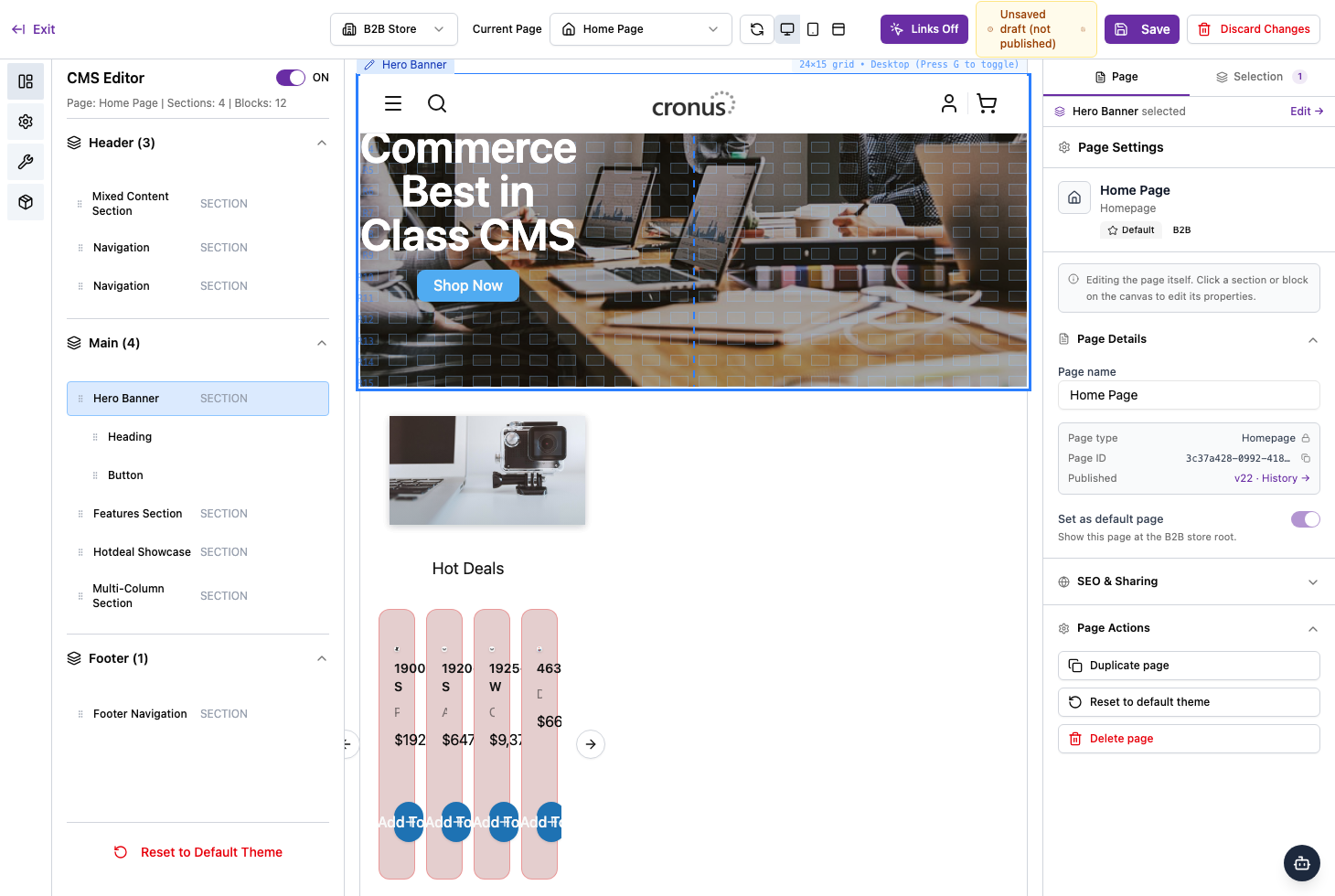
Page details
- Page name — the name you’ll recognise the page by.
- Page type — for example, Homepage.
- Page ID — a unique identifier (handy when contacting support).
- Set as default page — when on, this page shows at the store’s root address.
SEO & sharing
Expand SEO & Sharing to control how the page appears in search results and when its link is shared.
Page actions
- Duplicate page — make a copy to work from.
- Reset to default theme — return the page to the default design.
- Delete page — remove the page.
Duplicate and delete affect the whole page, so use them with care.