A free shipping promotion waives shipping charges, either on any order or only when the customer spends above an amount you set.
Steps
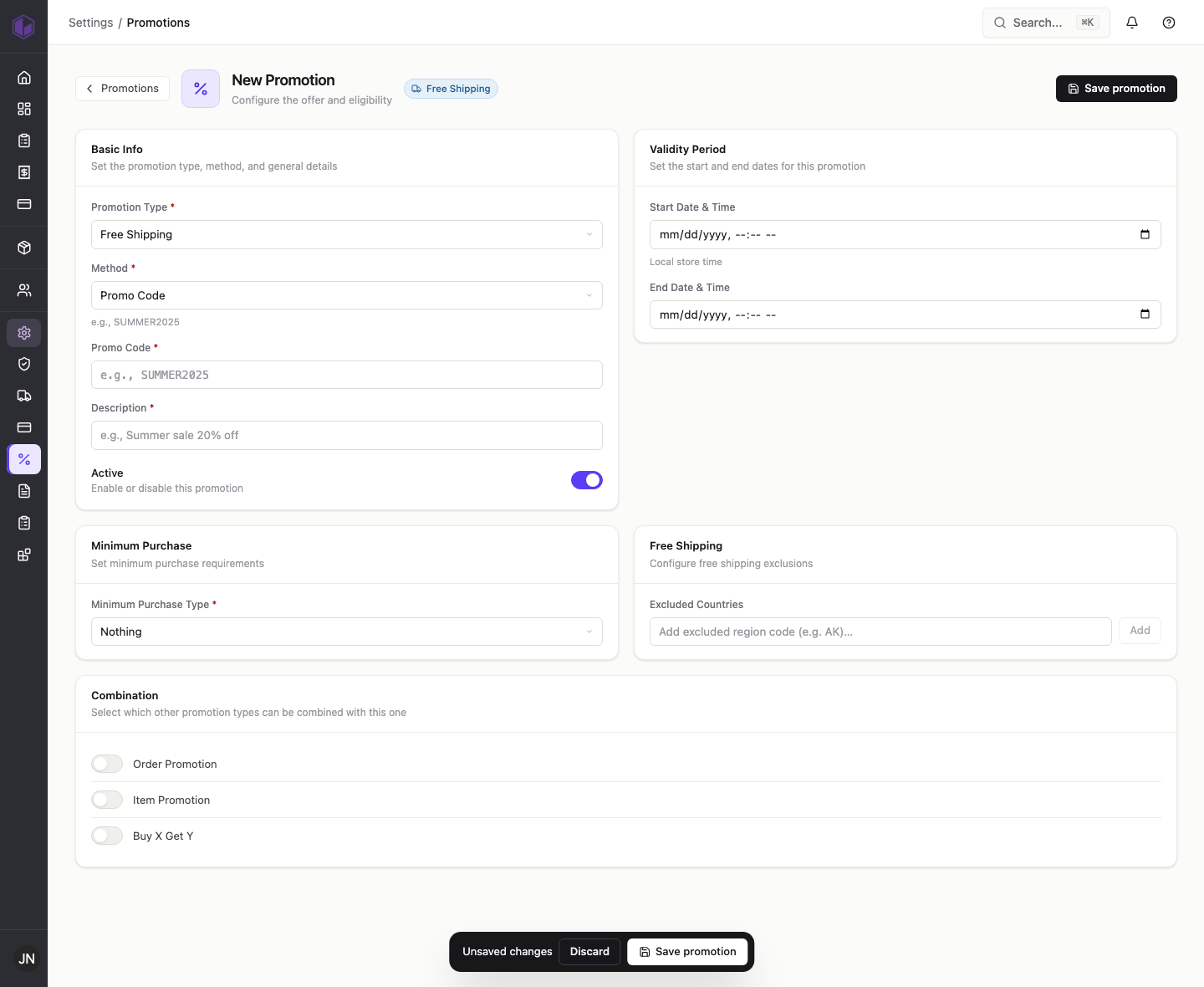
- Go to Settings › Promotions and click Add Promotion.
- Set Promotion Type to Free Shipping. (There is no discount amount to enter — free shipping is the reward.)
- Set Method to Promo Code and enter the code (for example, FREESHIP).
- Add a short Description.
- Optional: under Minimum Purchase, choose Purchase Amount and enter a value (for example, 75) so free shipping only applies above that spend.
- Optional: set a validity period if the offer should run for a limited time.
- Make sure Active is on and click Save promotion.
Customers who enter the code at checkout (and meet the minimum, if you set one) will not be charged for shipping.
Internal notes (support team)
- Free shipping with a promo code saves as expected. Repro: TEST-DOC-FREESHIP (free shipping over $75, August window).
- The August 1 start date displays in the list as Jul 31 — see the date display note in the order-promotion post.