Skip to content
Menu
V5

  • Home
V5

Testing shipping rates in commercebuild v5

By jnunez on July 17, 2026

The rate testing tools let you preview the rates your store would quote for a sample shipment, without placing a real order — a quick way to confirm your shipping setup is working.

Steps

  1. Go to Settings › Shipping › Rate Testing Tools.
  2. Enter the Ship From post code and country, and the Ship To post code and country.
  3. Add one or more items, each with a height, length, width, and weight. Use Add Item for more than one.
  4. Enter an order total amount.
  5. Click Test. The response panel on the right shows the rates that would be returned.
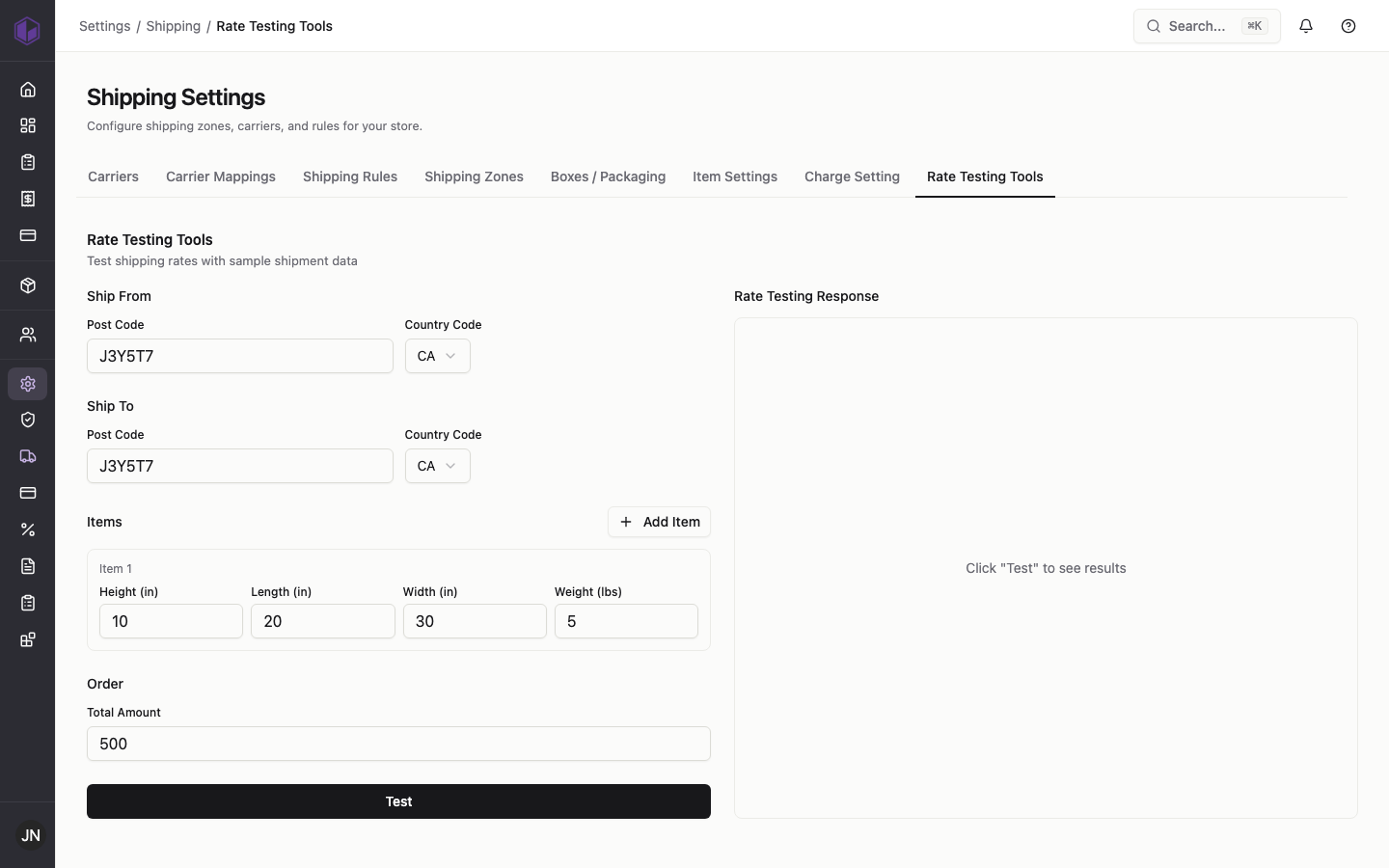
The rate testing tool

If a rate you expect doesn’t appear, check that the carrier is added, mapped, and available for that destination zone.

Category: Shipping

Post navigation

Shipping charge settings in commercebuild v5
Shipping rules (advanced) in commercebuild v5

Related Posts

Setting up shipping zones in commercebuild v5

July 17, 2026
Read More

Packaging and item shipping settings in commercebuild v5

July 17, 2026
Read More

Adding carriers and carrier mappings in commercebuild v5

July 17, 2026
Read More

Categories

  • Catalog
  • Page Editor
  • Payments
  • Promotions
  • Shipping
  • Users
©2026 V5 | WordPress Theme by Superb WordPress Themes